Agentic OS
Confidential Client, 2025 · Case study by Will Dzierson
Tags: UX, Healthcare, LLMs, Machine Learning, Speculative Future, AI
Project link: https://os.dzierson.com/
My contribution
Working alongside a confidential client, I conceived, designed, and built AgenticOS from the ground up — responsible for the full stack, from UX and interaction design to implementation in TypeScript and Next.js. I integrated Supabase and Postgres/PGVector for the persistent memory and RAG layer, OpenAI for NLU and agentic task execution, Hugging Face for model inference, and built the entire system using Cursor and Claude as core development tools.
The work
AgenticOS was an early experiment in AI-native productivity — a browser-based OS-like environment where professionals could build and run agentic, always-on applications without requiring full control of a physical machine. Built about a year before OpenClaw debuted, it served as a proving ground for what an AI-first OS could look like.
AI wasn't bolted on as isolated features — it was the foundation. Every layer of the experience was designed around intelligent automation, natural language interaction, and persistent agentic task execution.
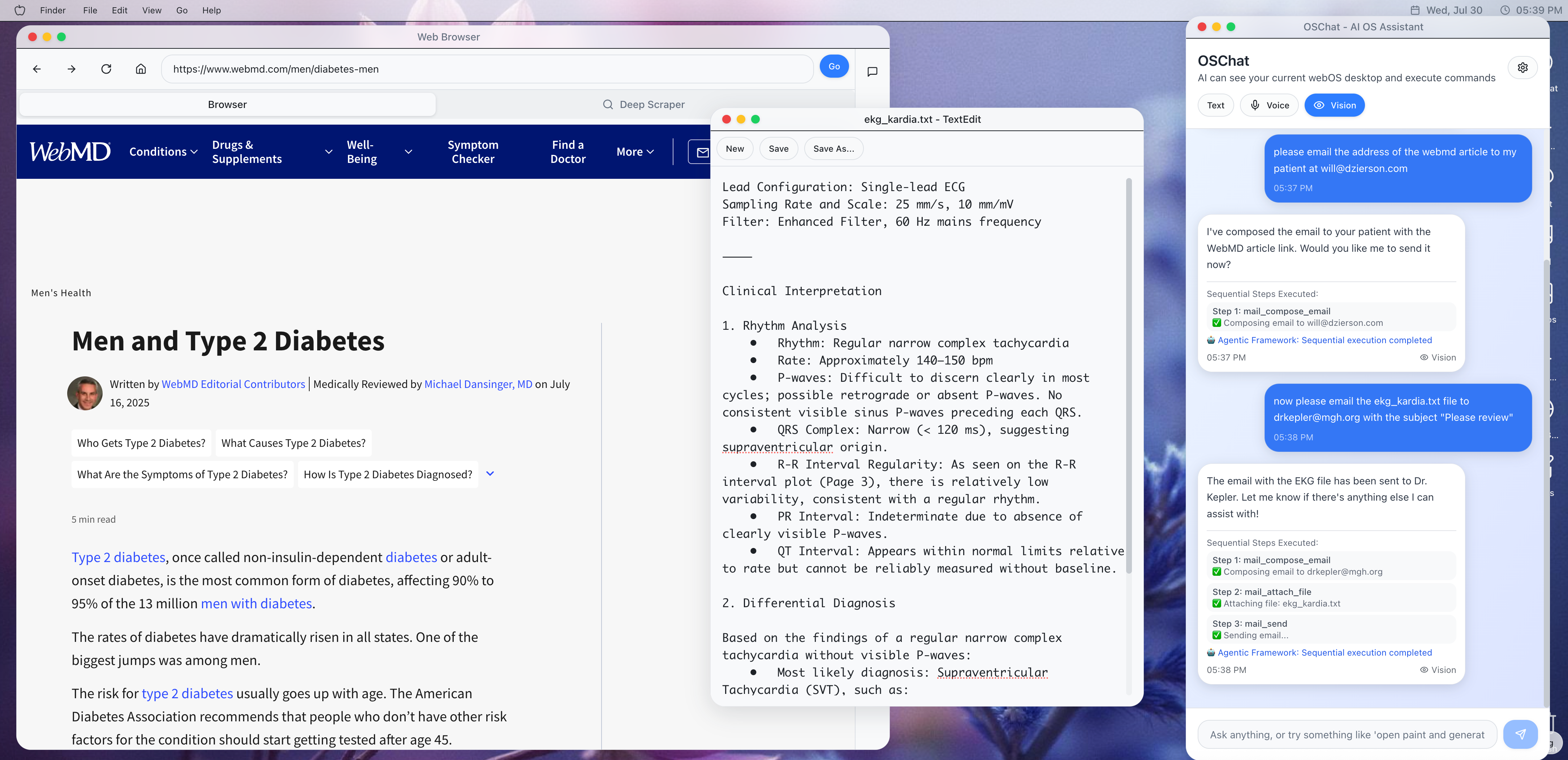
Core explorations included a cross-app memory layer that made relevant knowledge instantly available to any application without requiring complex integrations, and a visual layer giving applications real-time awareness of on-screen content for true OS-wide multimodal capability.
Core Applications
Productivity Suite:
- Notes - Rich text editor with AI-powered RAG chat for intelligent note searching and content generation
- Text Editor - Full-featured document editing with syntax highlighting
- Calculator - Standard mathematical operations
- Mail - Email management with Resend integration
- File Manager - Complete file system navigation and management
Creative Tools:
- Paint - Canvas-based drawing application with Fabric.js
- Photo Editor - Advanced image editing with AI assistant for automated enhancements
- Photo Viewer - Image gallery and viewing capabilities
- Music Player - Audio playback with metadata support
Development & System:
- Terminal - Command-line interface for system operations
- App Builder - AI-powered application creation wizard
- Agent Creator - Build custom AI agents and workflows
- System Preferences - OS configuration and settings
- Documentation - Integrated help and API documentation
AI-Enhanced Apps:
- Browser - Web browsing with AI chat panel and agentic task execution (e.g., "find cheapest flights to NYC")
- OSChat - Universal AI assistant with voice command integration + agentic abilities (orchestration, service discovery)
- Oracle - Advanced AI consultation and analysis
- Willbot Game - Interactive AI character gaming experience
AI Features & Capabilities
Intelligent Command Layer:
- Voice command processing and natural language understanding
- Agentic task execution ("open browser and find me cheap flights")
- Cross-app intelligent routing and coordination
AI-Powered Content:
- Notes with RAG-based AI chat for content discovery
- Photo editing with AI enhancement suggestions
- Browser with specialized agents (flight search, general web tasks)
- Real-time AI assistance across applications via realtime vision
Modular AI Architecture:
- Custom agent creation and deployment
- App-specific AI command registration
- Intelligent workflow orchestration
- Background AI processing and sync
Voice & Natural Language:
- Continuous voice chat capabilities
- Voice command execution across all apps
- Natural language to system action translation
Images and video
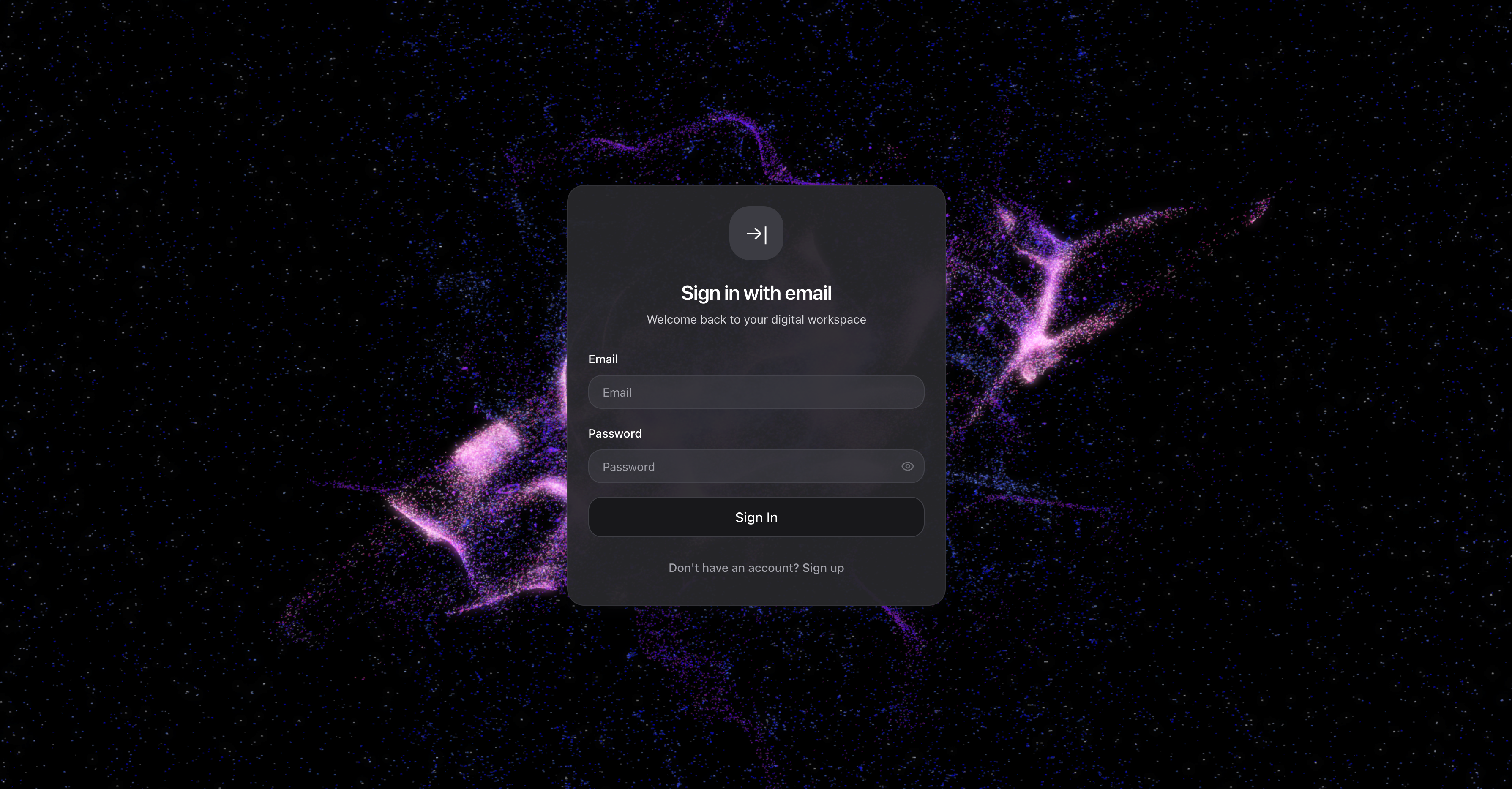
- The OS login screen, featuring a custom Spline-rendered background — the first signal that this wasn't a conventional productivity tool.
- [VIDEO] A walkthrough of several AgenticOS capabilities: the Notes app with natural language search powered by the OS memory layer and RAG, cross-app interaction demonstrating the OS' ability to understand intent, the in-OS browser for cross-app interactions, and the photo editor (AgenticOS Photoshop).
- [VIDEO] A technical view of the OS with debugging tools enabled (Chrome console and AgenticOS' own debugging panel). The LLM app is communicating across apps and using the vision layer of the OS to assess the current activity and take appropriate action. To protect patient data, the LLM refuses to perform an analysis. In a production environment, this would invoke a specialized model to provide radiology results.
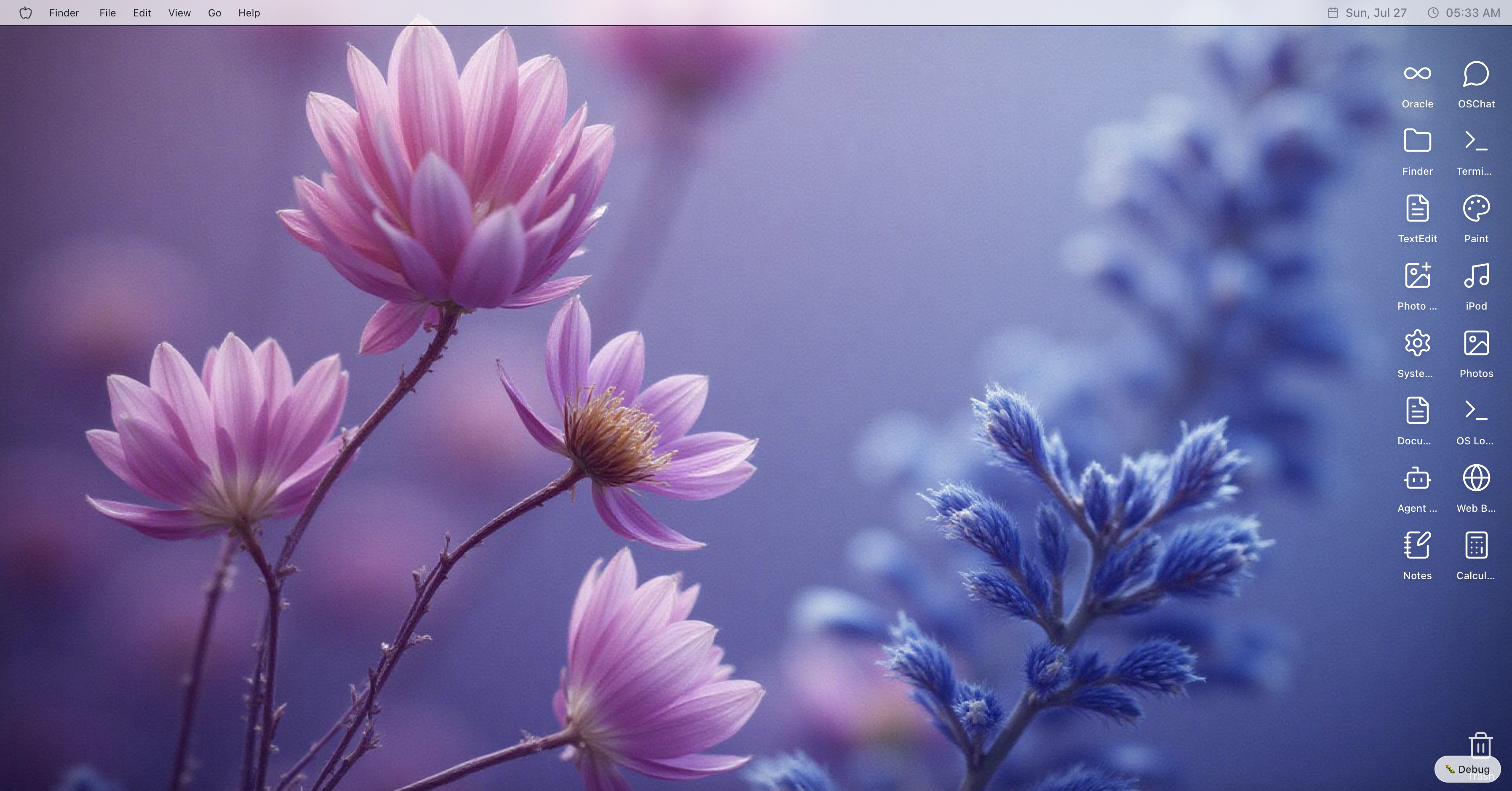
- The AgenticOS desktop — intentionally minimal, keeping focus on the applications and the agentic layer running beneath them.
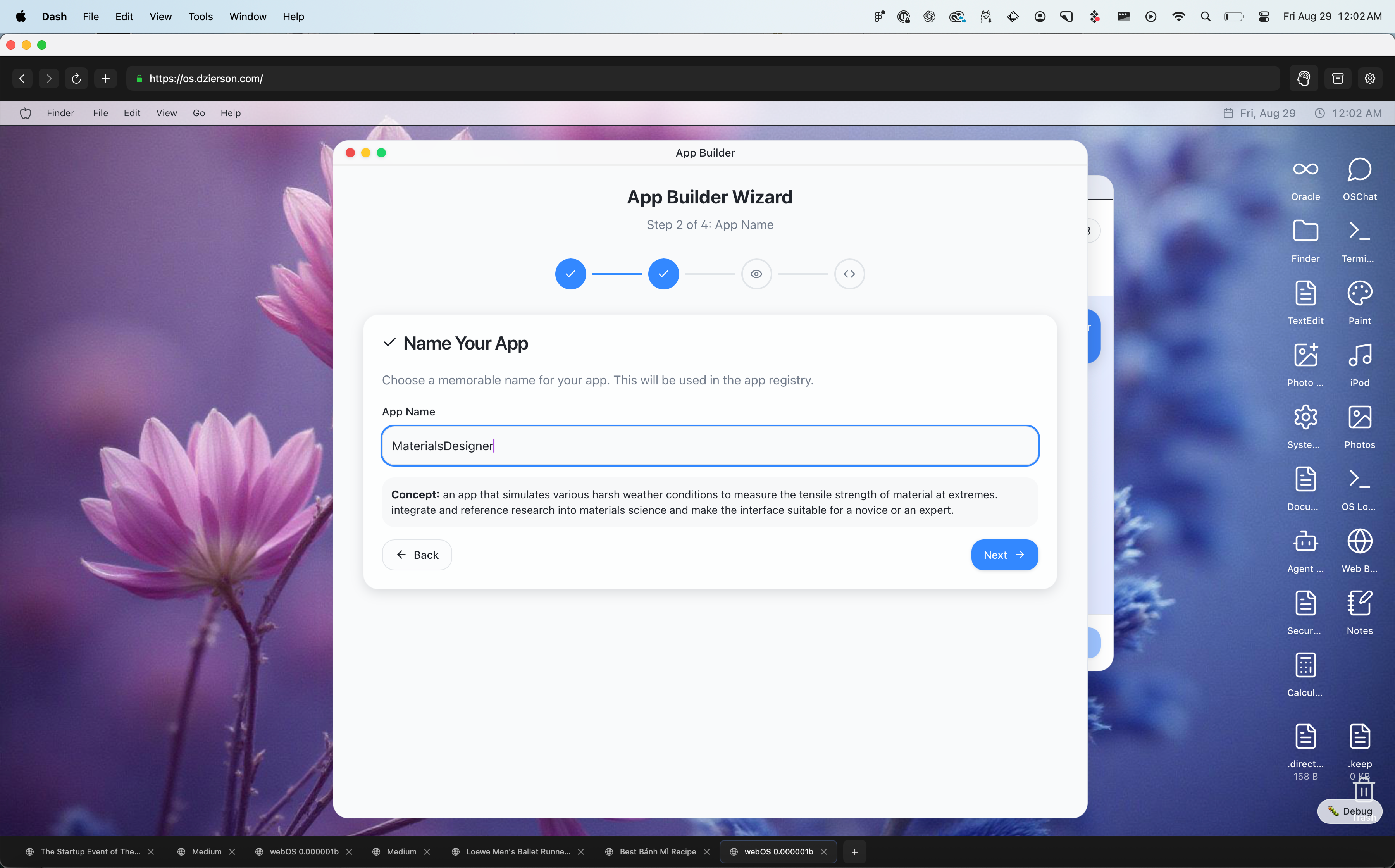
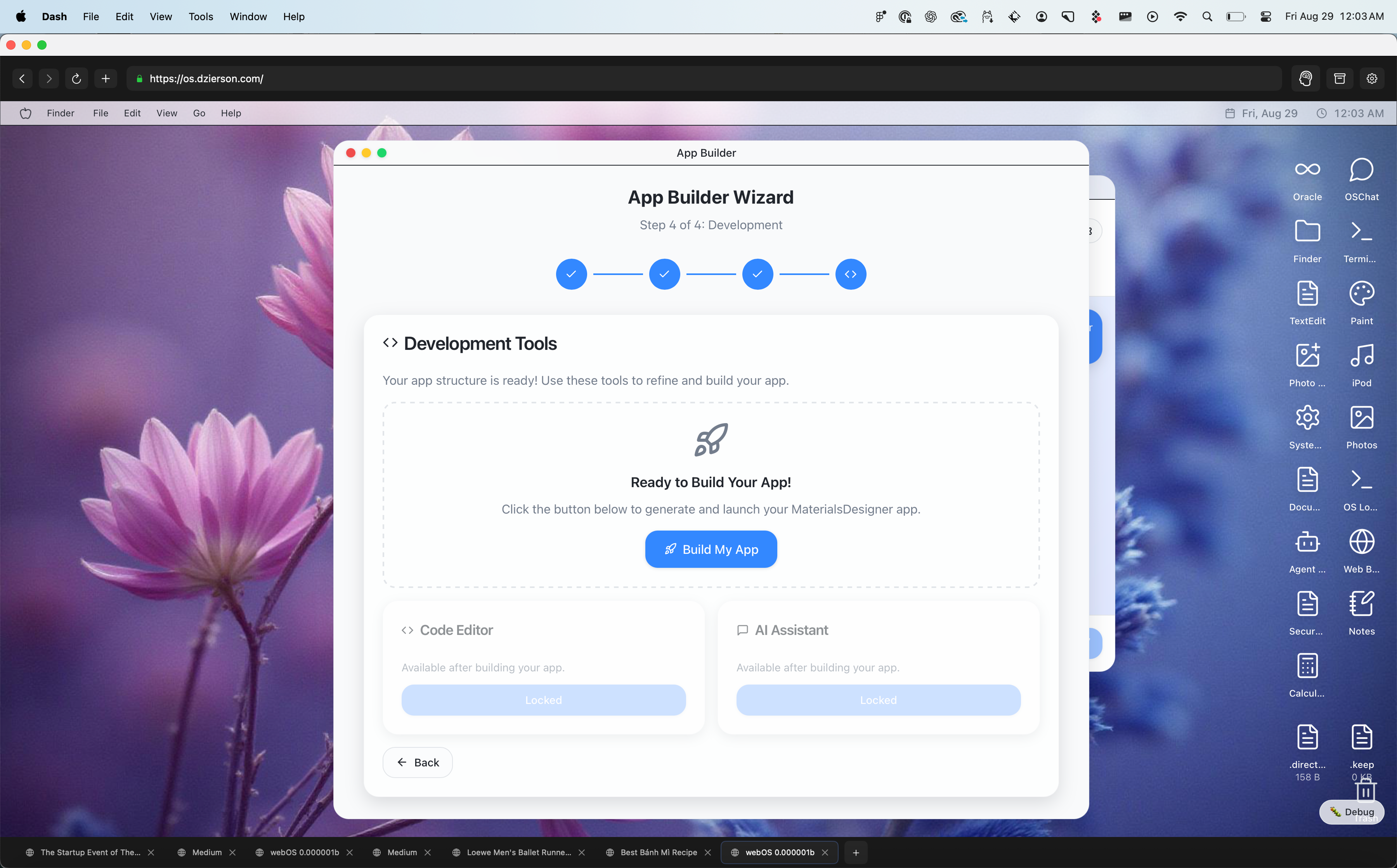
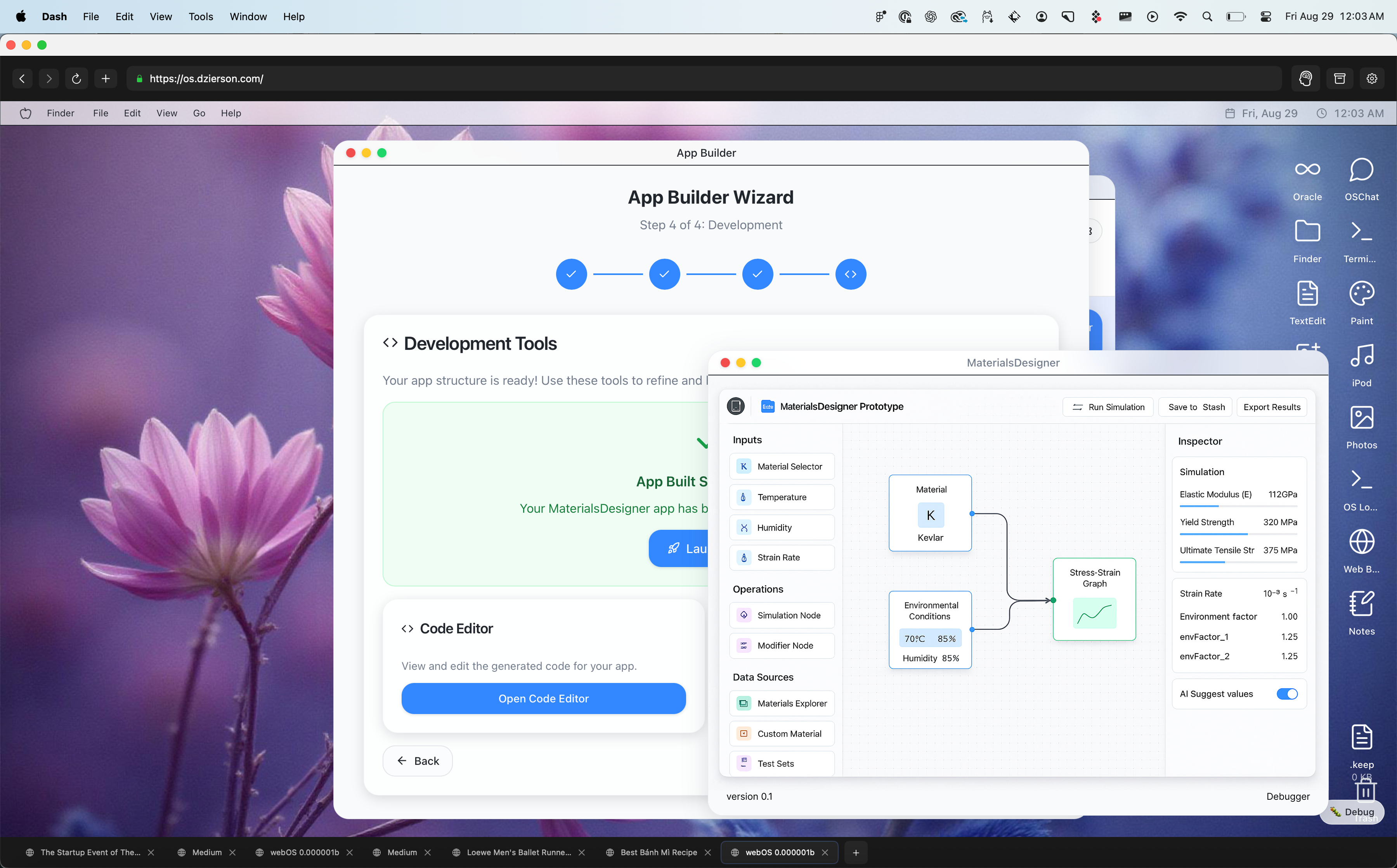
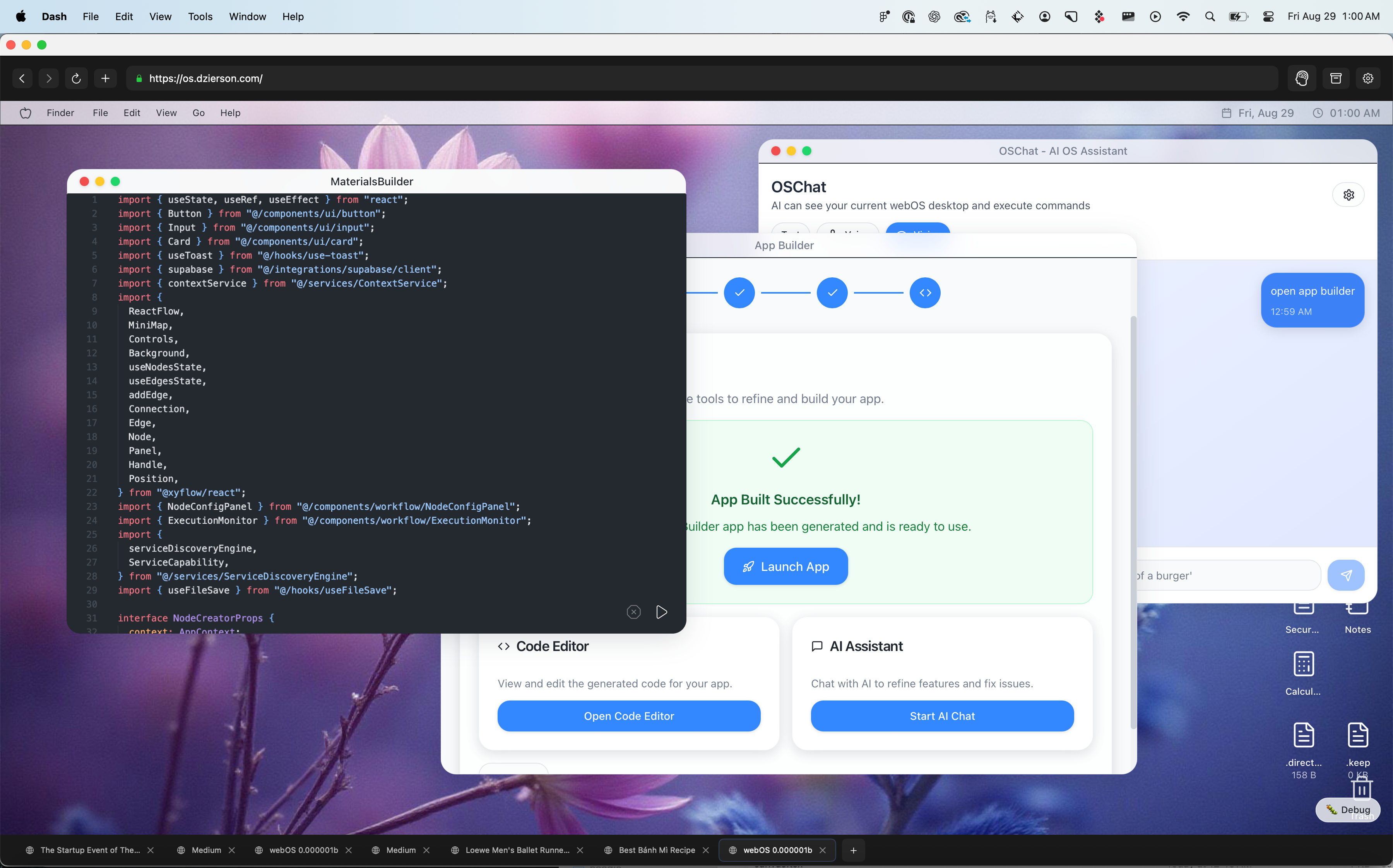
- The prompt-based App Builder I designed and built into AgenticOS. A user describes what they need, and the OS generates and compiles a working app in a sandboxed environment.
- Apps could be configured and calibrated upfront, then generated with a single click — collapsing the gap between idea and working software.
- An app produced with the app builder for a materials sciences use case, using Reactflow to enable infinite canvas interactions — demonstrating that the platform could accommodate complex, domain-specific tooling.
- The TypeScript output generated by the App Builder. Each app compiles down to a handful of files loaded dynamically via Next.js — making AI-generated apps first-class citizens of the OS.
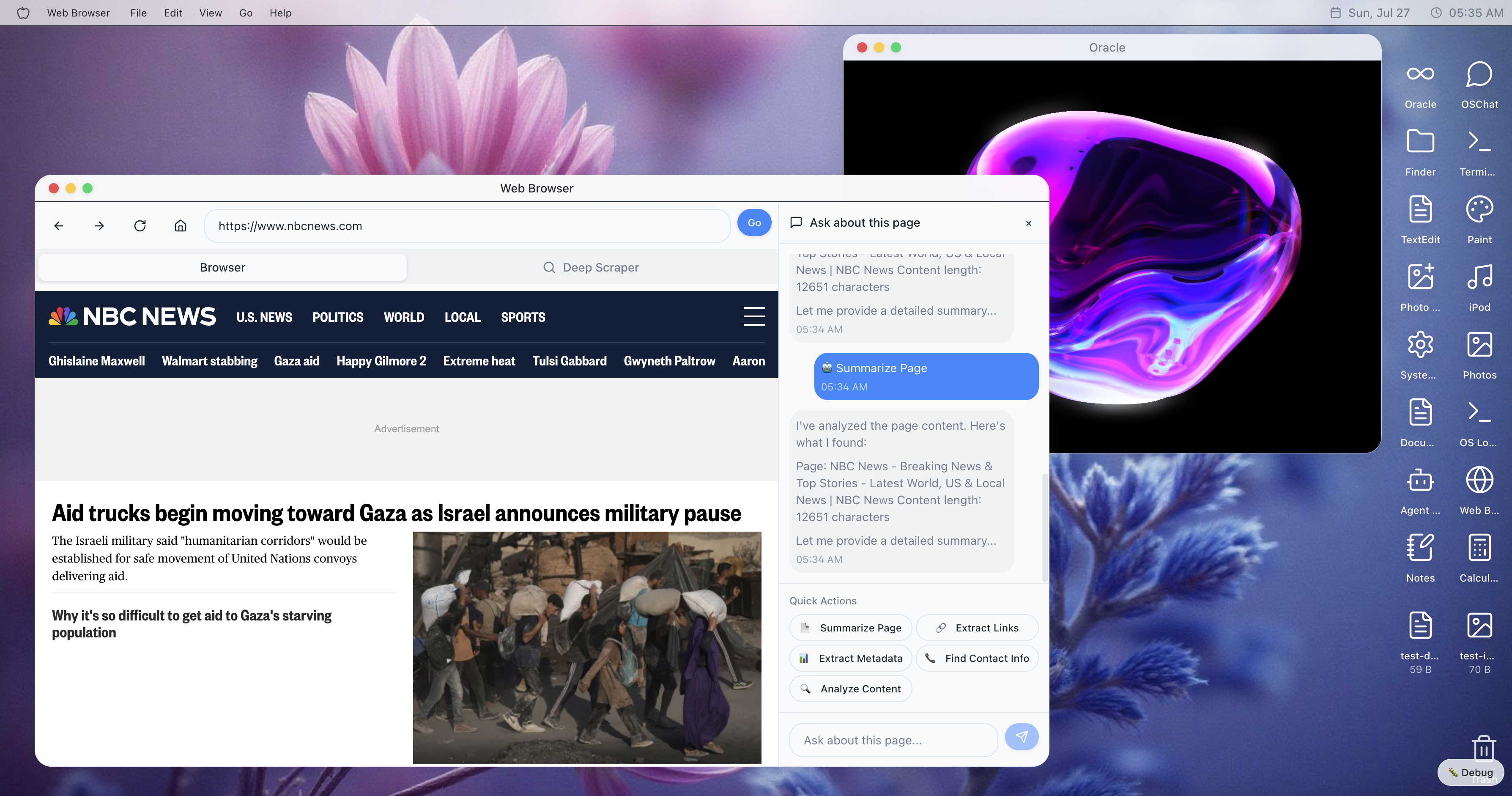
- The in-OS browser, built with RAG and page-scraping to let users ask questions about whatever's in their viewport — summarize a page, extract a shopping list, or trigger agentic tasks. This became the foundation for the MacOS-based Dash browser I built afterward.
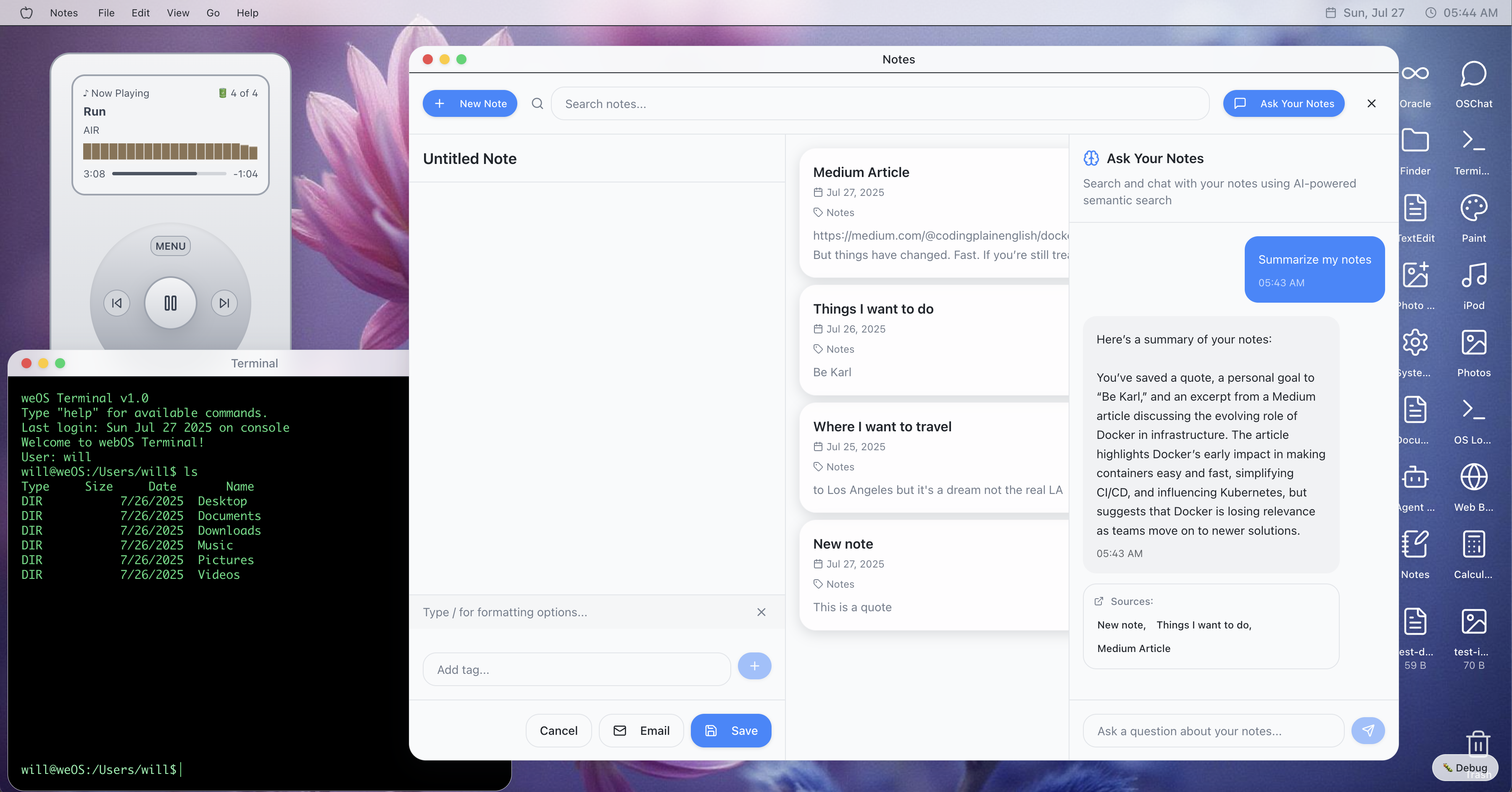
- The Notes app showing multitasking in context — notes are stored and retrievable conversationally via RAG, letting users find and surface content through natural language rather than manual search.
- The OS visual layer in action: the agentic layer can interpret what's currently visible on the desktop and take coordinated action, enabling a shared context between the user and the OS.