Dash AI Browser (MacOS app)
Self-started, 2025 · Case study by Will Dzierson
Tags: LLMs, AI, Software Development
Project link: https://drive.google.com/file/d/1MZq9JfzpkqhizayD2lH--eWDjMxQpfIV/view?usp=sharing
My contribution
I designed and built Dash end-to-end in Xcode using Swift and WebKit. The AI layer is built on local embeddings for semantic page understanding, with Claude and OpenAI handling inference depending on the task. I used Cursor as a primary development tool throughout. For data and agent orchestration, I integrated Supabase (Postgres + pgvector) for vector storage and auth, MCP-based agents for tool invocation, and Perplexity for supplementary browsing context. The result is a fully working native macOS prototype built entirely solo.
The work
Started in 2025 as a self-directed research project, Dash began with a straightforward question: what would a browser actually look like if AI were native to it — not bolted on as a sidebar, but woven into how the page is understood and acted upon? Inspired by the emerging wave of AI-first browsers like Dia, I set out to design and build a working answer.
The result is a Safari-based macOS app — internally nicknamed "galliano" — that reads the page you're viewing, builds a semantic model of its content, and uses that understanding to take action on your behalf. It can summarize any page or site, answer contextual questions, and spin up specialized agents to handle tasks like finding better prices for products, generating grocery lists from recipes, checking business ratings, or placing a DoorDash order. It also supports "meta" actions like emailing you a tailored summary of the current page or extracting and organizing specific information — making it a genuinely useful companion for everyday research and shopping workflows.
Under the hood, Dash uses a locally available model to embed the current page and selected links, giving the AI a semantic foundation to decide which agents or tools to invoke. It combines local and remote retrieval-augmented generation with Supabase for vector storage and auth, MCP-based agents, and a suite of APIs to orchestrate tasks like pricing lookups and local retail discovery.
I built the browser end-to-end in Xcode using Swift and WebKit, with Claude, Cursor, and OpenAI as the core development and inference tools. The outcome is a working prototype that demonstrates how agentic workflows, local embeddings, and modern LLM tooling can be composed into a coherent, native macOS experience — and a proof of concept for what AI-native browsing might actually feel like.
The repository and a demo are available for anyone interested in running or extending the project. The codebase includes setup instructions for Supabase, OpenAI, and the required local tooling.
Images and video
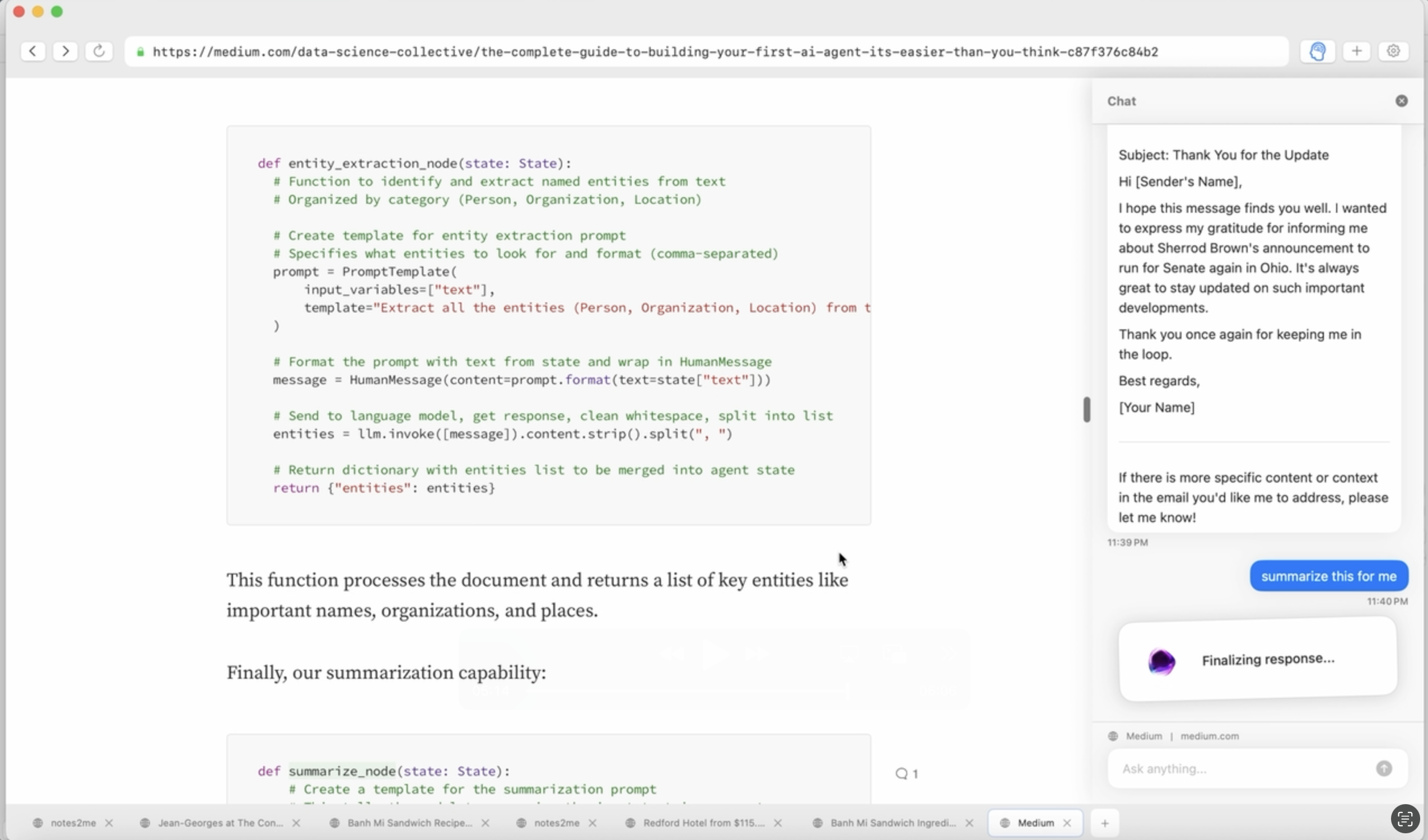
- A side-by-side view of Dash's agentic pipeline — Swift code on the left showing the entity extraction and summarization functions, alongside a live email interaction on the right where Dash surfaces a tailored summary of the current page.
- [VIDEO] A full walkthrough of Dash in action — demonstrating how the browser reads and understands the current page, invokes specialized agents, and completes tasks like price lookups, grocery list generation, and placing a DoorDash order, all from within a native macOS interface.
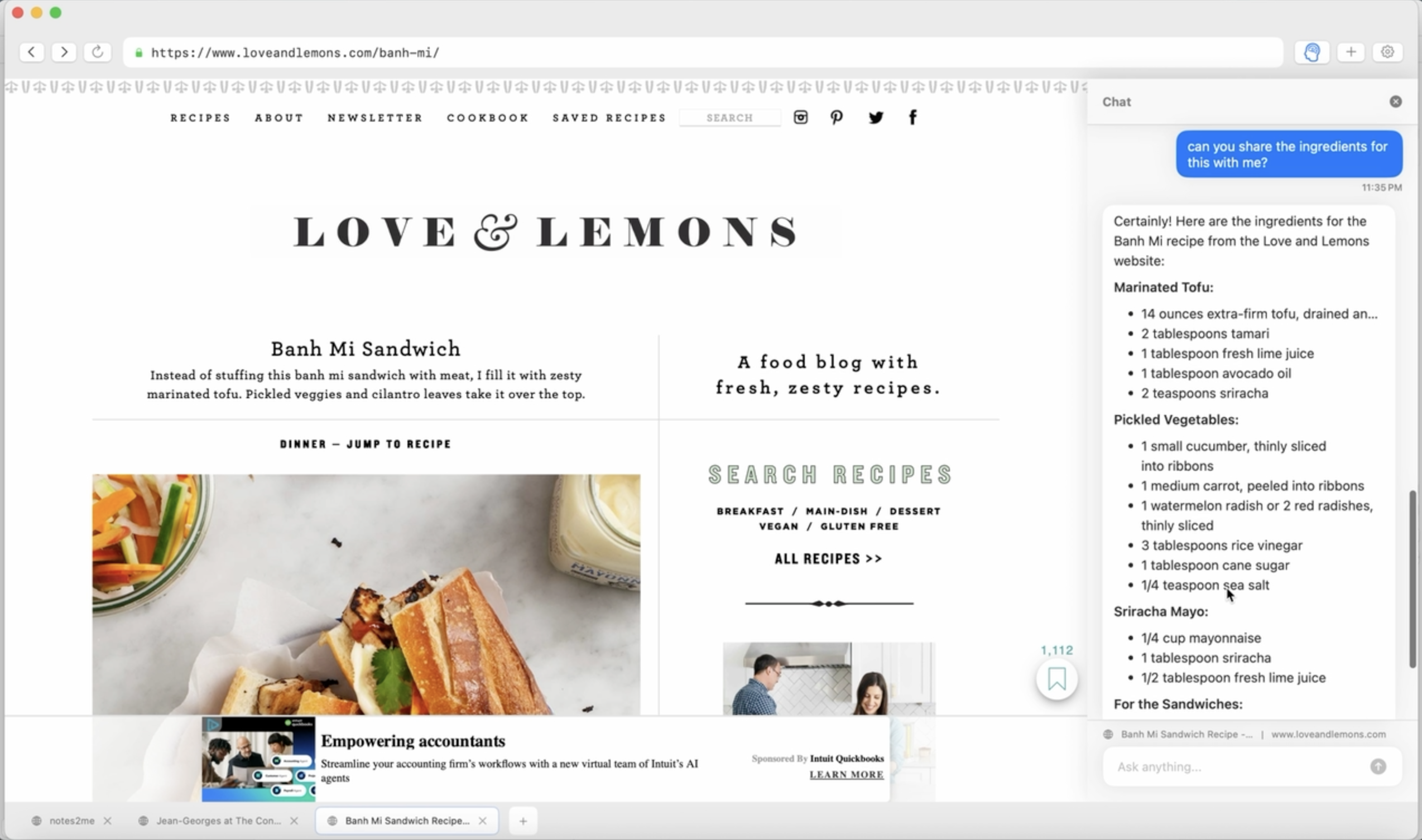
- Dash navigating the Love & Lemons recipe site — a real-world example of the grocery list agent at work, where Dash reads the page content, identifies ingredients, and compiles a structured shopping list without any manual input from the user.
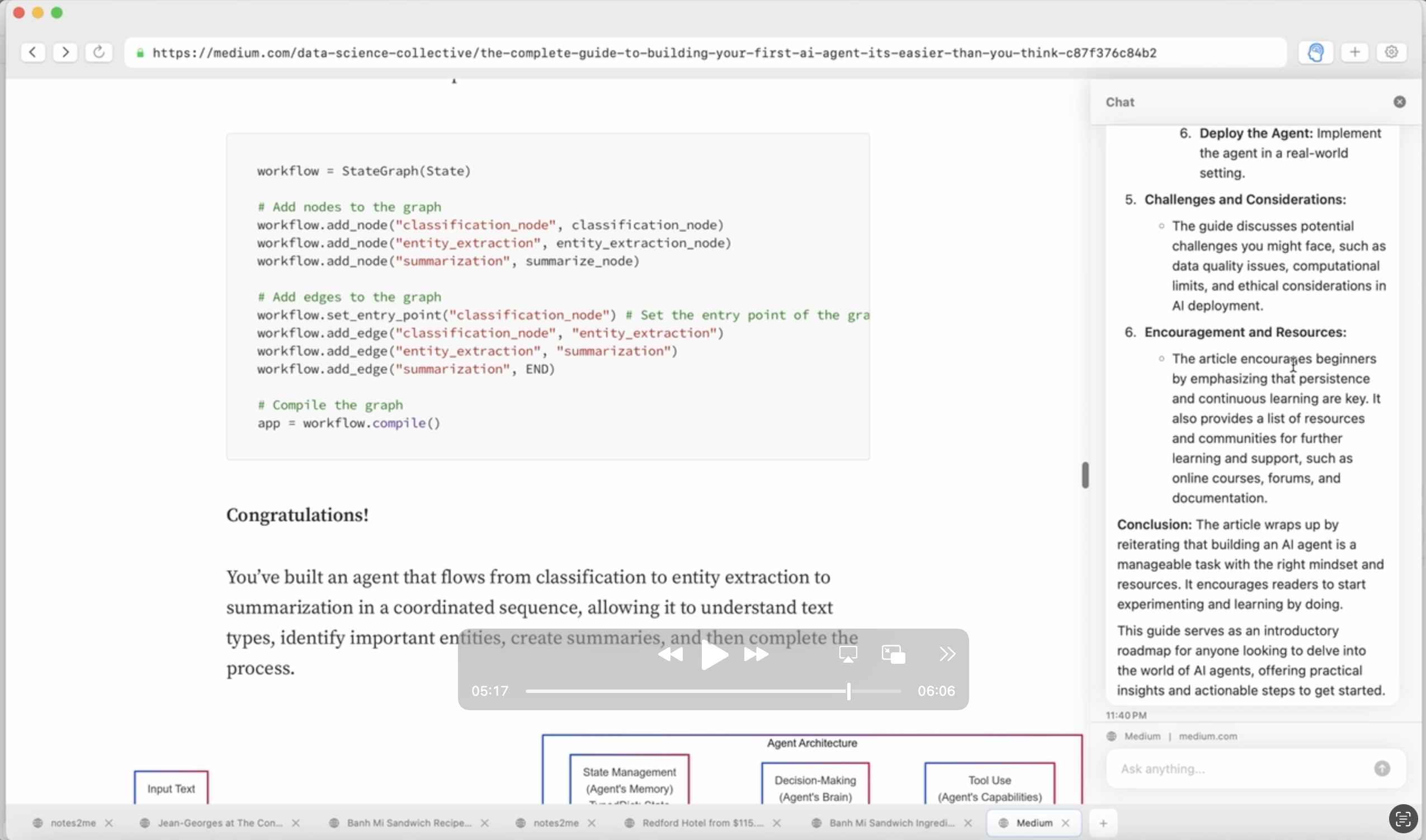
- A closer look at the development workflow — Swift agent code on the left alongside an active Cursor session on the right, showing the iterative process of building and validating Dash's agentic capabilities with Claude as a coding collaborator.